
How Do You Ride a Train in Japan With Your Phone?
Quick answer30 sec read
- iPhone: add a Suica, PASMO or ICOCA in Apple Wallet, top it up, and tap the IC reader at the gate.
- Android: most phones bought outside Japan can't hold Suica, PASMO or ICOCA. Get a plastic IC card instead.
- Credit card or the card in your phone: works on Tokyo Metro, Toei, Osaka Metro and many private lines, but not at JR East gates in Tokyo. Check the gate sign.
There are three ways to pay for a train with your phone in Japan, and which one works depends on your phone and the railway. Facts checked on November 13, 2026. These services change often, so the sign on the gate always wins.
1. An IC card in your iPhone
You can make a new Suica, PASMO or ICOCA right in the Wallet app on an iPhone 8 or later, or move a plastic card onto your phone (source: Apple). Apple does not list a Japanese iPhone as a requirement. Your first transit card is set to Express Mode, so you tap the IC reader without unlocking your phone (source: Apple).
- Top up in Wallet with a card in Apple Pay (source: Apple).
- Cash works too: ask at a convenience store register, or use a Seven Bank or Lawson Bank ATM (not every machine) or a tray-type charge machine at some stations (source: JR East Mobile Suica FAQ).
- Welcome Suica Mobile is JR East's app for visitors. It needs an iPhone XR/XS or later on iOS 17.2+ (source: JR East FAQ). There is no deposit, the balance expires 180 days after issue, and it can't be refunded, so spend it before you fly home (source: App Store). JR East says some countries restrict issuing and top-ups, so you may need to set it up after you land in Japan (source: JR East).
2. Android phones
Suica and PASMO in Google Wallet need a phone that supports Osaifu-Keitai, Japan's phone-wallet system (source: Google Wallet Help). PASMO says that, in general, Android phones bought outside Japan are not compatible (source: PASMO). If your Android is from home, plan on a plastic IC card, or tap a credit card where the gate accepts it.
3. A contactless credit card, or the card in your phone
Since March 25, 2026, 11 railways in the Tokyo area take tap-to-ride, and you can ride through from one to another: Tokyo Metro, Toei Subway, Tokyu, Keio, Odakyu, Odakyu Hakone, Keikyu, Sotetsu, Yokohama Minatomirai, and parts of Seibu and Tobu. A few stations are left out, and JR East and Keisei are not part of it. Visa, Mastercard, JCB, American Express, Diners Club, Discover and UnionPay cards work (in a phone or watch: Visa, Mastercard, JCB, American Express and Discover), and only the adult fare is charged (source: Toei / Bureau of Transportation). Osaka Metro takes it at all stations (source: Osaka Metro).
- Find the right reader. At Tokyo Metro, tap the reader on the wide gate, often near the information counter. It is not the IC card reader (source: Tokyo Metro).
- Same card in and out. If you tapped in with your phone, tap out with your phone. The plastic card and the card in your phone count as different cards (source: Tokyo Metro).
- JR East doesn't take it. Its ticket gates and ticket machines don't accept contactless credit cards, so for lines like the Yamanote Line, use an IC card or a ticket (source: JR East FAQ).
- Other areas: more railways around Japan are adding it, but not every line or gate has it. Check the gate sign.
If it goes wrong
The gate beeped and closed?
With an IC card, your balance is probably too low. Top it up at a fare adjustment machine (seisanki) before the exit gate, or ask at the staffed window. With a credit card, check that you tapped the contactless reader, not the IC reader. If the gate has no contactless mark, it doesn't take cards.
My card worked on the subway but not at JR?
JR East gates don't accept credit cards. When you change from the subway to a JR East line, go out through the gate and tap in again with an IC card or a ticket.
Some subway trains run straight onto JR or other lines with no gate in between. If you tapped in with a credit card, get off before the train leaves the tap-to-ride area, or you will have to pay again in cash at the exit.
I can't add money to the card in my iPhone?
Try another card in Apple Pay, or add cash at a convenience store register. Adding cards and adding money don't work between midnight and 5:00 a.m. Japan time (source: Apple).
My phone battery is almost dead?
Some iPhones can still use Express Mode when they need charging, but not every model (source: Apple). Don't count on it: charge up before a long day, or carry a plastic card as a backup.
Two of us, one card?
One card pays for one person. Tokyo Metro's tap-to-ride is for the cardholder only, so each traveler needs their own card or phone (source: Tokyo Metro).
Related questions
 Suica, PASMO, ICOCA or the JR Pass: which one do I need?
- What are the manners on Japanese trains?
 Do I still need cash in Japan?
Practice before you go
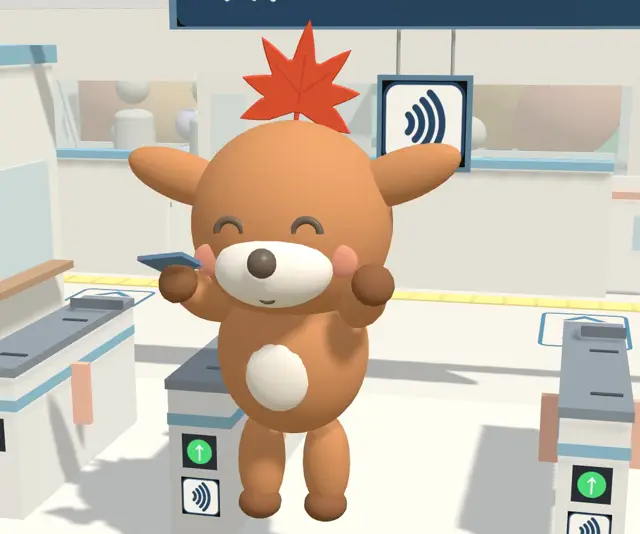
Practice in 3DRide the train in 3DWalk through the ticket gate with Momiji before your trip.
Open the 3D scene →Happy travels from Momiji.